UI / UX Design
2023
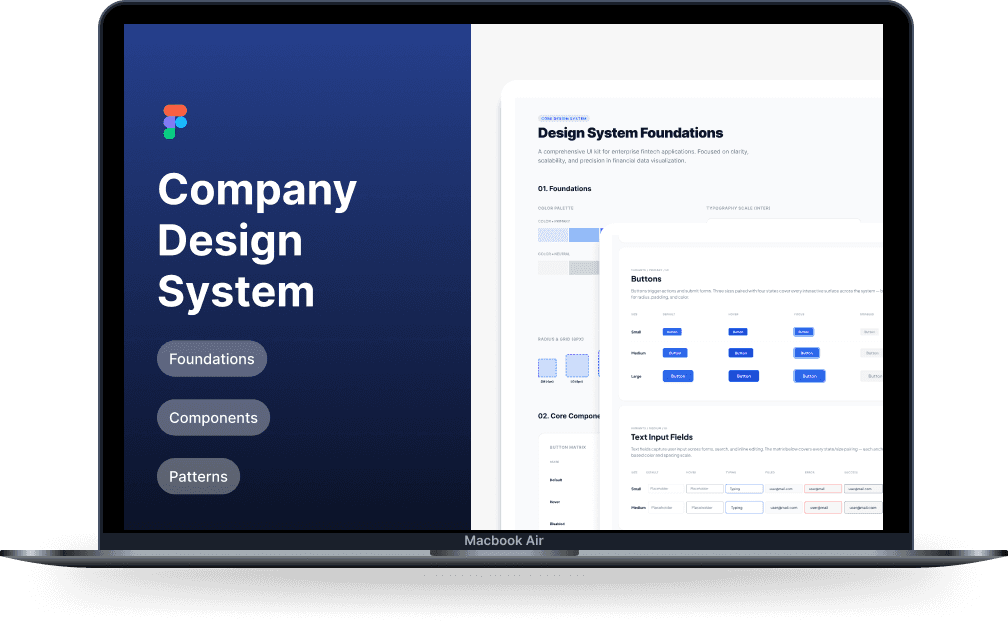
Collaborated on building a unified design system to standardize product experiences, reduce UI inconsistencies, and improve design-to-development efficiency across products.
Role:
UX UI Designer
Timeline :
3–6 Months
Platform :
Web · Mobile · Internal Products
Overview & Context
Why the system needed to be built
As the company’s products scaled, UI inconsistencies started to grow across teams and platforms. Components were being recreated repeatedly, interaction patterns varied between products, and handoff to development became slower and less predictable. A unified design system became necessary to establish consistency, improve collaboration, and create a shared product language across teams.
🏛
Client
Internal Product Ecosystem
👥
Audience
Designers & Developers
📱
Platforms
Web, Mobile, Internal Tools
⚙️
My Contribution
UI Audit → Component Design → Variants → Documentation
Problems & Goals
Three key challenges driving the design
01
Inconsistent UI Patterns
Different teams were solving the same UI problems differently, creating fragmented experiences across products and increasing maintenance effort.
02
Repeated Design Work
Without shared components, designers were rebuilding similar UI patterns across multiple products, slowing delivery.
03
Unclear Development Handoff
Lack of standardized components and states created inconsistencies in implementation and increased developer dependency on design clarification.
Design goals we committed to
Standardize UI patterns across products
Reduce duplicated design effort
Improve design-to-development efficiency
Create scalable reusable components
Strengthen accessibility consistency
Establish a shared visual language
System Structure
Building blocks of the design system
The system was structured into foundational layers and reusable patterns to support consistency and scalability across multiple products
A
B
C
D
E
Foundations
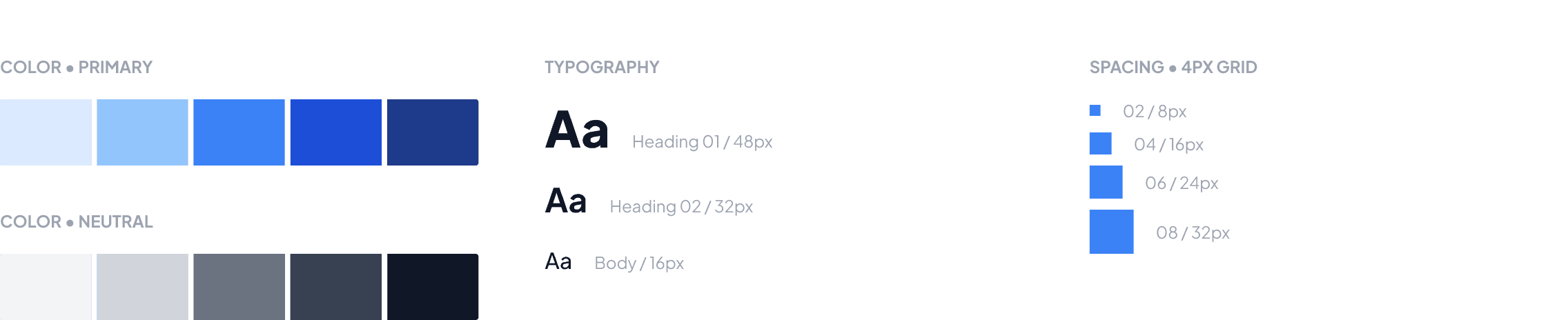
Colors, typography, spacing, grids
Components
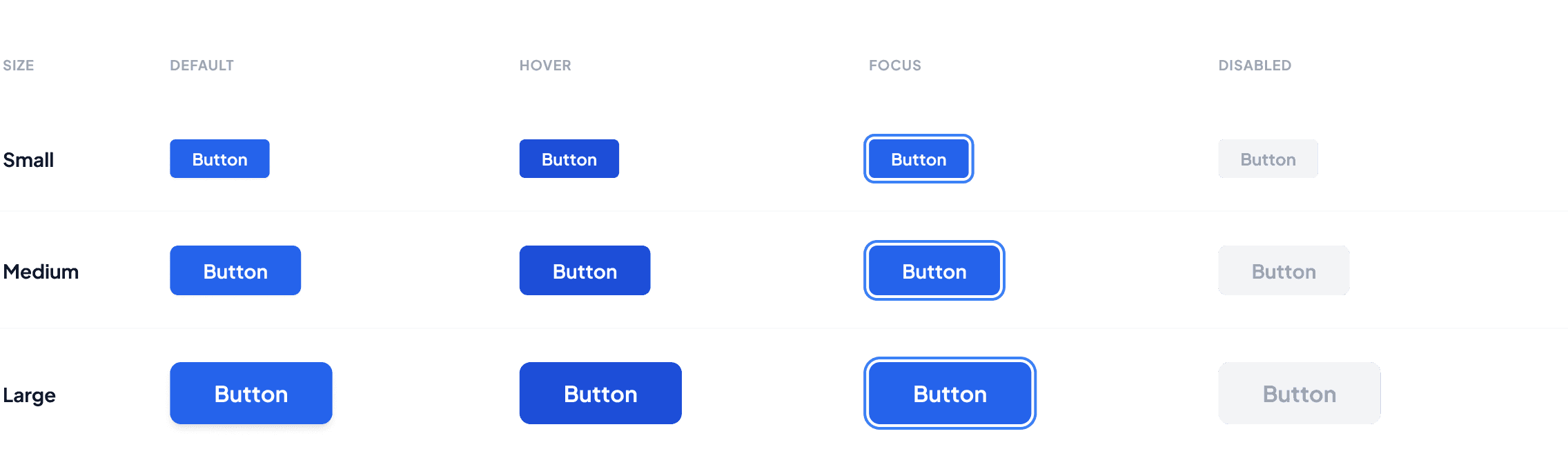
Buttons, inputs, cards, tables, modals
Patterns
Forms, navigation, data tables, feedback states
Documentation
Usage guidelines, behavior rules, variants
Handoff
Developer-ready specs and implementation references
Audit & Exploration
Component Inventory
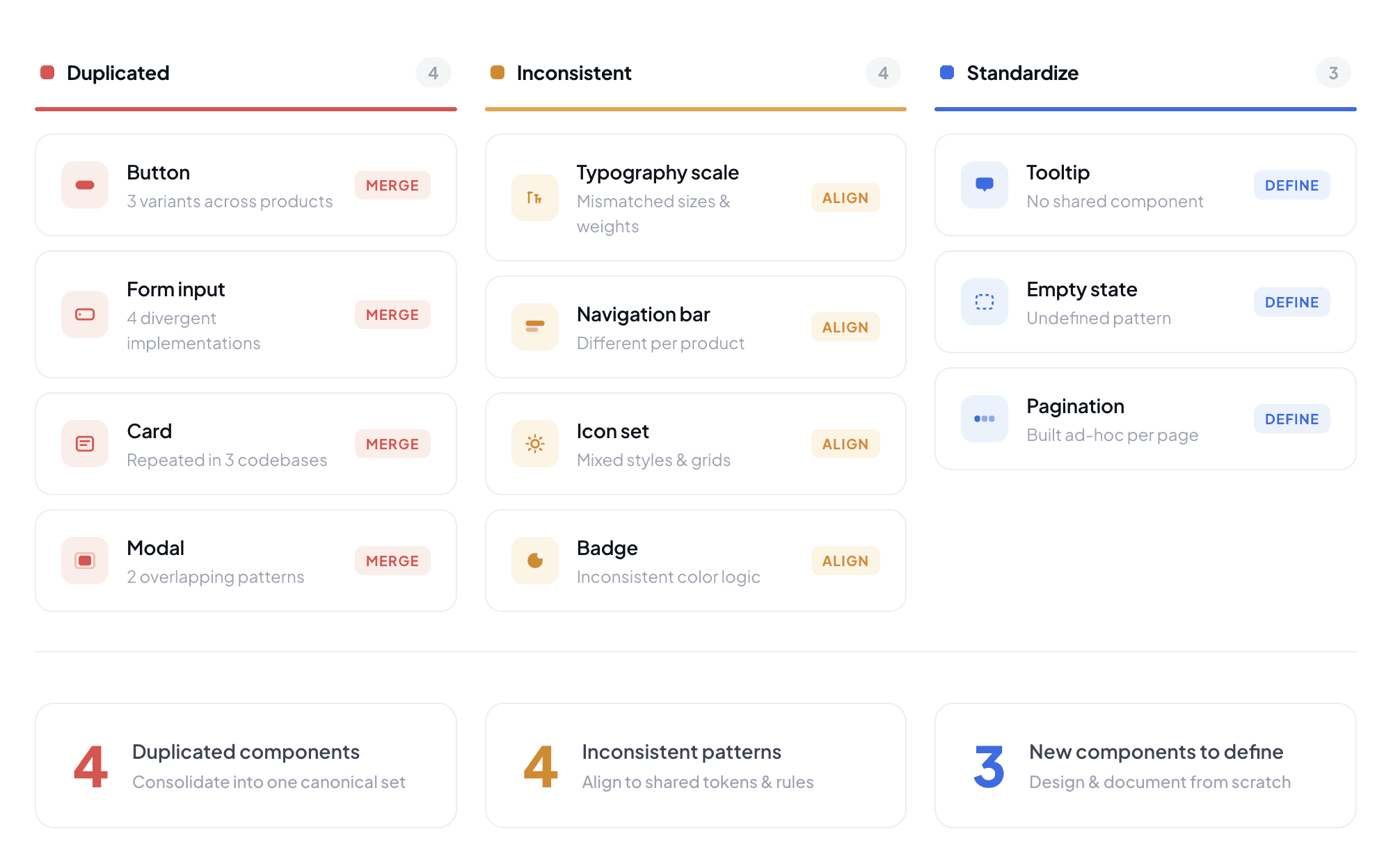
We started with a collaborative audit of existing products to identify duplicated components, inconsistent patterns, and opportunities for standardization. This helped prioritize component creation, define shared standards, and establish the foundation of the design system.
Final UI
High-fidelity Component Library
The outcome was a scalable Figma library of reusable components, variants, and design foundations. Standardized guidelines and accessibility considerations helped create a consistent experience across products while improving collaboration between design and development teams.
Foundations
Buttons
Key Decisions
Design Rationale
Component Standardization
Repeated custom-built components → Shared reusable library
Teams were solving similar UI challenges independently, resulting in multiple versions of the same component. Standardizing commonly used elements reduced duplication and established a consistent user experience.
BEFORE
Repeated custom-built components
AFTER
Shared reusable component library
Design Foundations
Hardcoded styles → Shared design foundations
Visual styles varied between products due to the absence of centralized foundations. Establishing shared tokens and visual rules created a scalable foundation for future growth.
BEFORE
Manual styling across screens
AFTER
Token-based foundations
Documentation Structure
Implicit usage → Structured component guidelines
Components alone were not enough to ensure consistency. Clear documentation was introduced to define when, why, and how components should be used.
BEFORE
No documented usage standards
AFTER
Structured usage and behavior guidelines
Development Alignment
Screen-level handoff → System-level implementation
Moving from individual screen specifications to reusable component definitions improved implementation consistency and reduced repetitive design-development discussions.
BEFORE
Screen-by-screen handoff
AFTER
Component-driven implementation
Learnings & Reflection
What I took away from this project
Working on a design system shifted my perspective from designing individual screens to thinking about scalable product infrastructure. It reinforced the importance of creating systems that support teams, not just interfaces that support users.
01
Consistency compounds over time
Small inconsistencies can quickly multiply across products and teams. Establishing shared standards early helps reduce long-term design debt and maintenance effort.
02
Documentation drives adoption
A design system's success depends not only on the quality of its components but also on how clearly its guidelines are communicated and maintained.
03
Collaboration shapes better systems
The most effective system decisions emerged through collaboration between designers and developers. Shared ownership helped ensure the system was practical, scalable, and easier to implement.