UI / UX Design
2023
Improved the vehicle inspection workflow by integrating a hardware control interface into the existing inspection application to enable safe, precise, and efficient chassis lifting operations.
Role:
UX UI Designer
Timeline :
1 Week
Platform :
Internal Inspection Mobile App
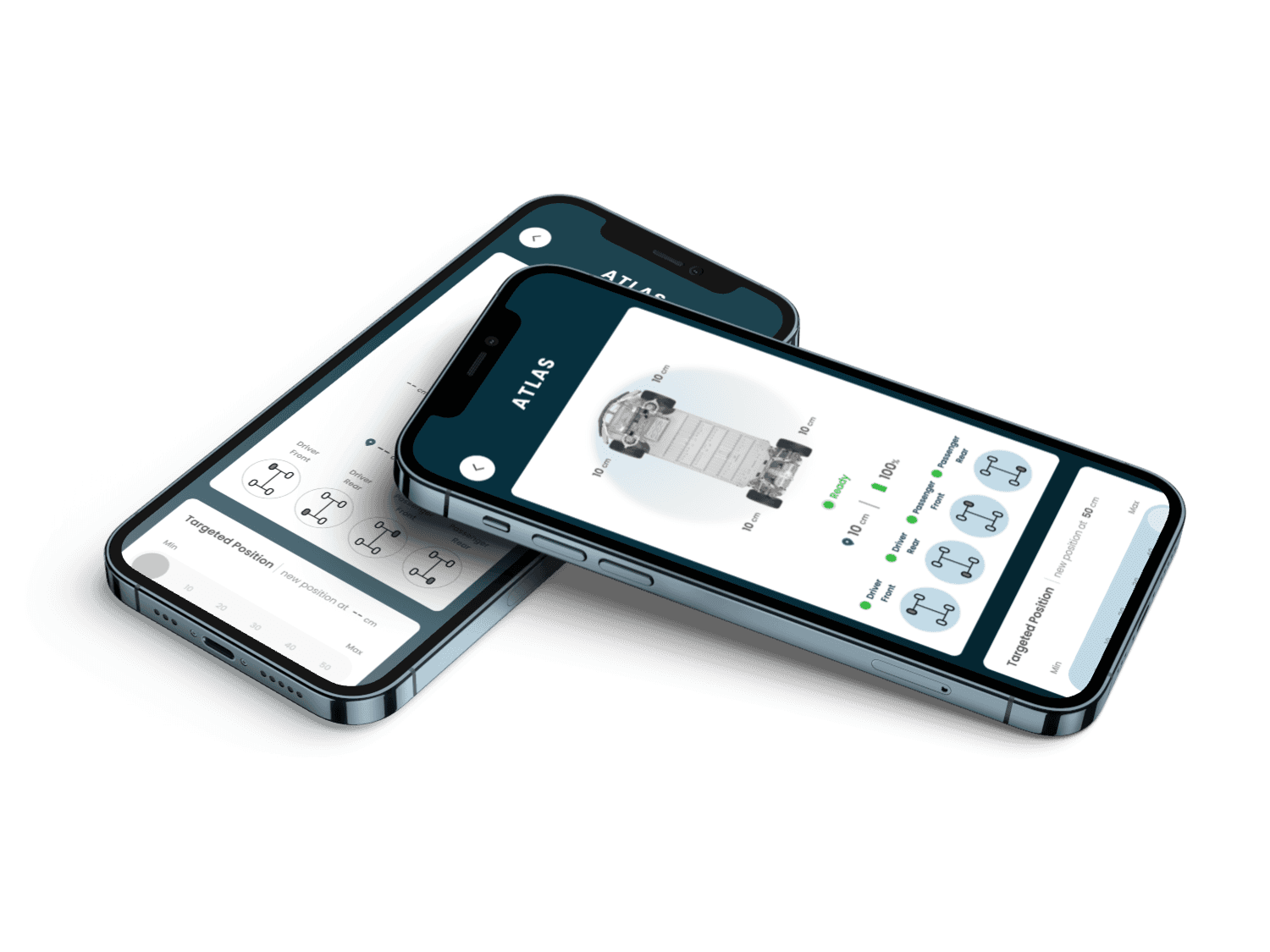
Overview & Context
Why this system needed a rethink
The Atlas Jack System introduced a new hardware component for vehicle inspection, which was not previously supported in the existing application. This created a need for a dedicated digital interface to safely control lifting operations. The current system had no structured way to interact with hardware, requiring a new control experience to reduce operational risk and ensure smooth inspection continuity
🏛
Client
Markabte – Auto-Tech Inspection Startup
👥
Audience
Inspection Officers
📱
Platforms
Hardware-Controlled Inspection Tool
⚙️
My Scope
Research → Interaction Design → Prototyping
Problems & Goals
Three key challenges driving the design
01
No Existing Hardware Control Interface
The inspection system had no dedicated UI layer for controlling physical devices like the jack system, requiring a completely new interaction model.
02
High Operational Risk
Incorrect or unclear control inputs could lead to unsafe vehicle lifting, making clarity and feedback critical in the design.
03
Time-sensitive Workflow
Inspection officers needed to complete chassis checks quickly without interrupting the flow of the broader inspection process.
Design goals we committed to
Enable safe jack control through the application
Provide clear real-time feedback for all actions
Reduce cognitive load during inspection tasks
Align digital actions with physical hardware states
Ensure reliability under operational conditions
Interaction Model
Translating hardware control into digital UI
Designed a control interface that allows officers to manage jack movement with clear, predictable system responses.
A
B
C
D
Manual Control
Incremental up/down adjustments via arrow-based input
Target Positioning
Direct selection of desired lift height
Continuous Feedback
Real-time system response during movement execution
Safety States
Visual indicators for movement, limits, and system status
wireframes
Lo-fi Exploration
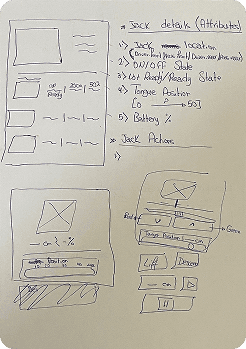
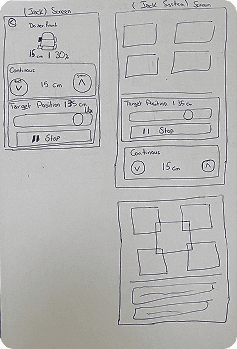
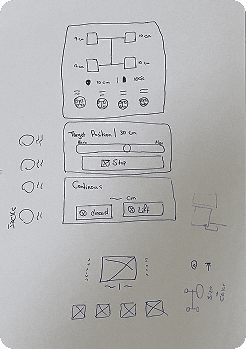
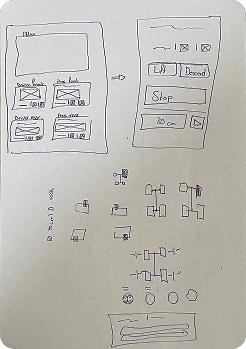
Iterative low-fidelity wireframes were created to explore different control models for hardware interaction. The focus was on simplifying movement control, reducing ambiguity, and ensuring clear mapping between user input and physical response before moving into UI design.
Final UI
High-fidelity Screens
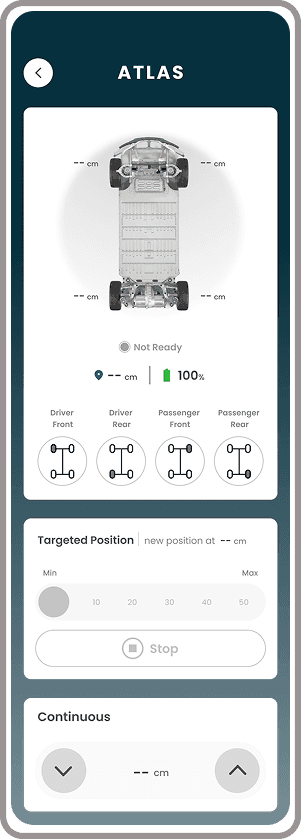
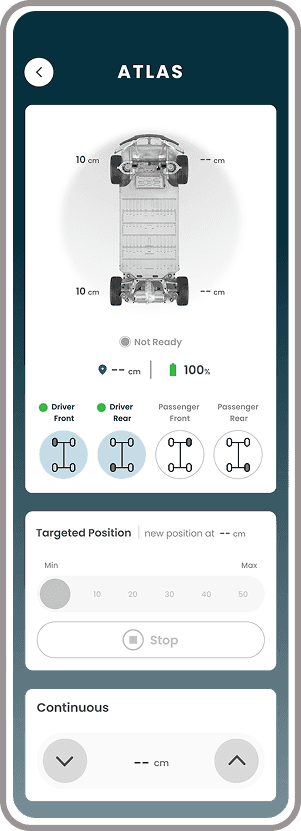
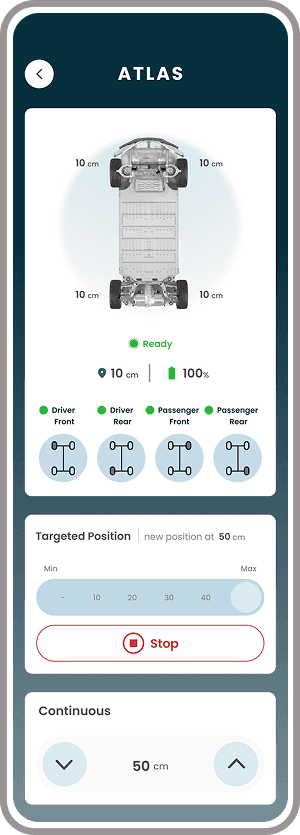
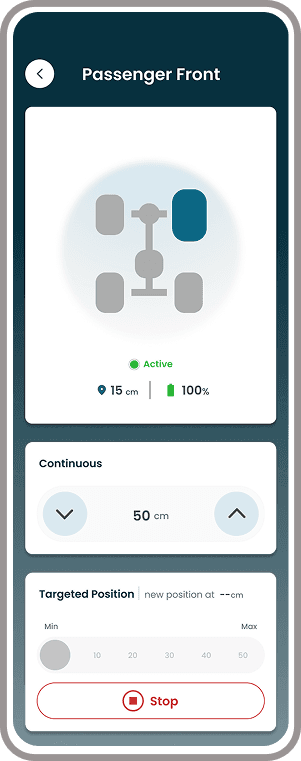
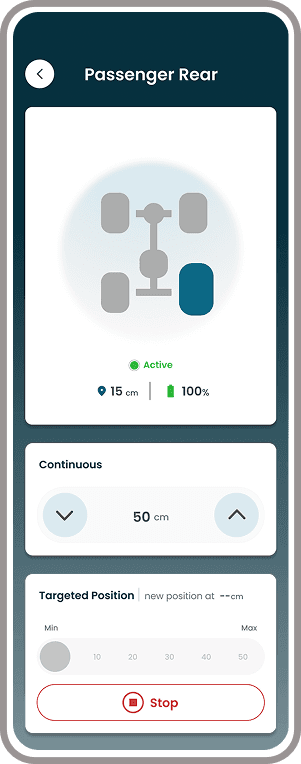
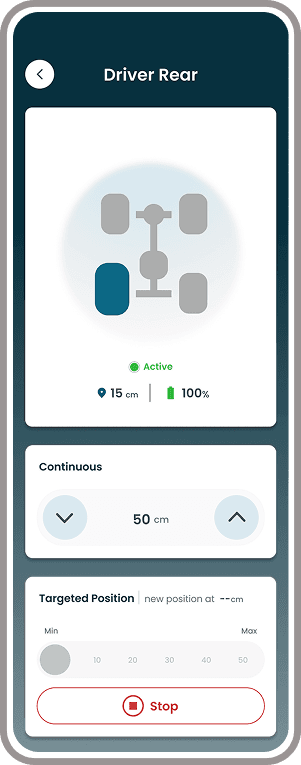
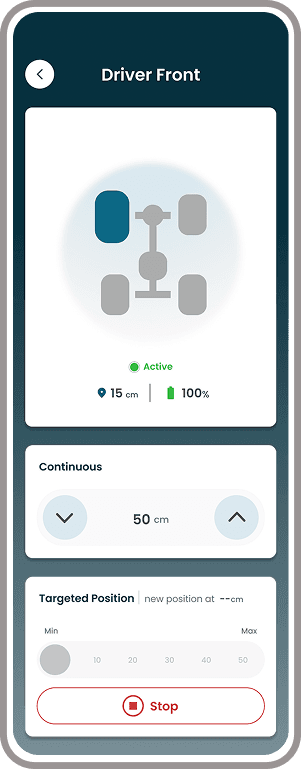
Delivered a focused control interface designed for operational clarity, featuring structured states for movement, system feedback, and safe interaction with the Atlas Jack hardware.
Key Decisions
Design Rationale
Control Structure
No dedicated interface → Integrated control experience
The inspection system had no existing UI for controlling Atlas, requiring a new interaction model built specifically for hardware operations.
BEFORE
No dedicated control interface
AFTER
Integrated state-aware control system
Safety Feedback
No live system visibility → Real-time status feedback
Without an integrated interface, officers had no in-app visibility into hardware state during operation.
BEFORE
No in-app hardware feedback
AFTER
Real-time movement and status visibility
Safety Controls
Unstructured actions → Guided safe interaction
Operating physical hardware requires clear action boundaries to prevent mistakes. The interface introduced guided controls and clear operational states to reduce risk during inspection.
BEFORE
No structured safety cues
AFTER
Guided controls with clear action boundaries
Learnings & Reflection
What I took away from this project
This was a highly constraint-driven project where UX decisions directly impacted physical safety and operational efficiency. Designing for hardware interaction required a shift from traditional UI thinking to system-level thinking.
01
Feedback is the interface
In hardware-driven systems, feedback is not secondary — it is the experience. Every action must have a visible and predictable system response.
02
Clarity over flexibility
Unlike consumer apps, flexibility can introduce risk. The priority was to reduce ambiguity rather than maximize user freedom.
03
Digital + physical alignment is critical
The success of the system depended on how well UI states reflected real-world hardware behavior in real time.