UI / UX Design
2025
Governmental Portal
Improved the government portal by restructuring the interface and applying a unified design system to create a more consistent and user-friendly experience
Role:
UX UI Designer
Timeline :
3 Months
Platform :
Web . Mobile
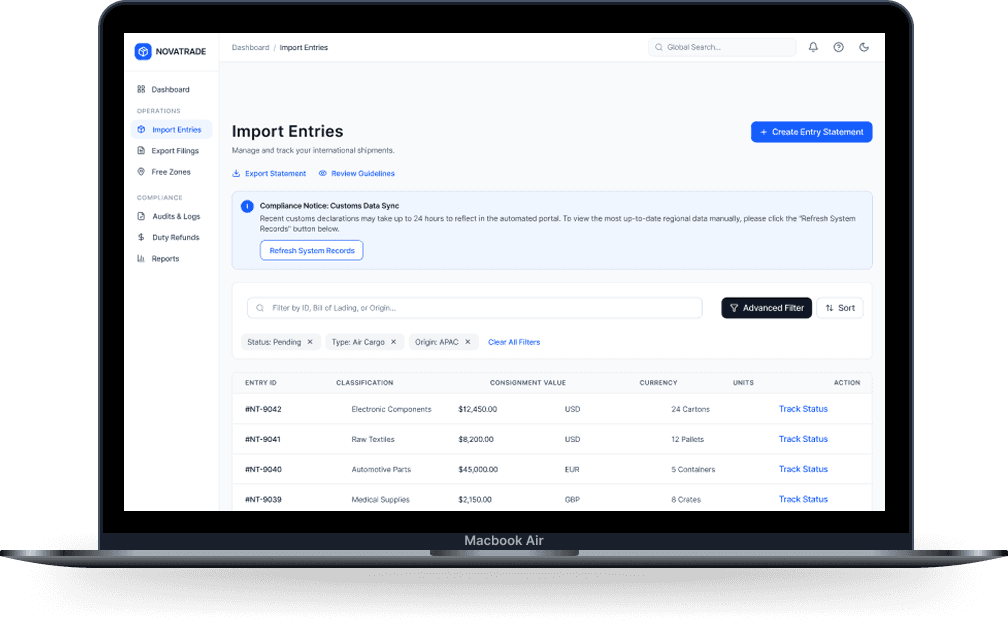
Overview & Context
Why this portal needed a rethink
The existing customs portal had grown into a fragmented and complex experience, making it difficult for users to manage declarations, track shipments, and understand customs requirements efficiently. As trade processes became faster and more digital, the portal needed a rethink to simplify workflows, improve transparency, and create a more unified user experience.
🏛
Client
Government Customs Authority
👥
Audience
Importers & Customs Brokers
📱
Platforms
Desktop, Tablet, iOS & Android
⚙️
My Scope
Research → Design → Testing → Handoff
Problems & Goals
Three pain points driving the redesign
01
Fragmented Service Journeys
Core customs services like declarations, shipment tracking, permits, and objections were spread across disconnected flows, forcing users to switch between multiple entry points to complete a single task.
02
Poor Visibility
Users struggled to track shipment status, customs clearance progress, and pending actions, creating uncertainty and increasing support dependency.
03
Complex Processes
Dense forms, technical terminology, and inconsistent layouts made customs procedures difficult to understand, especially for first-time users.
Design goals we committed to
Simplify customs workflows
Improve tracking and transparency
Build a scalable design system
Enhance accessibility across platforms
Reduce friction in key customs tasks
Unify the user experience across services
Declaration Lifecycle
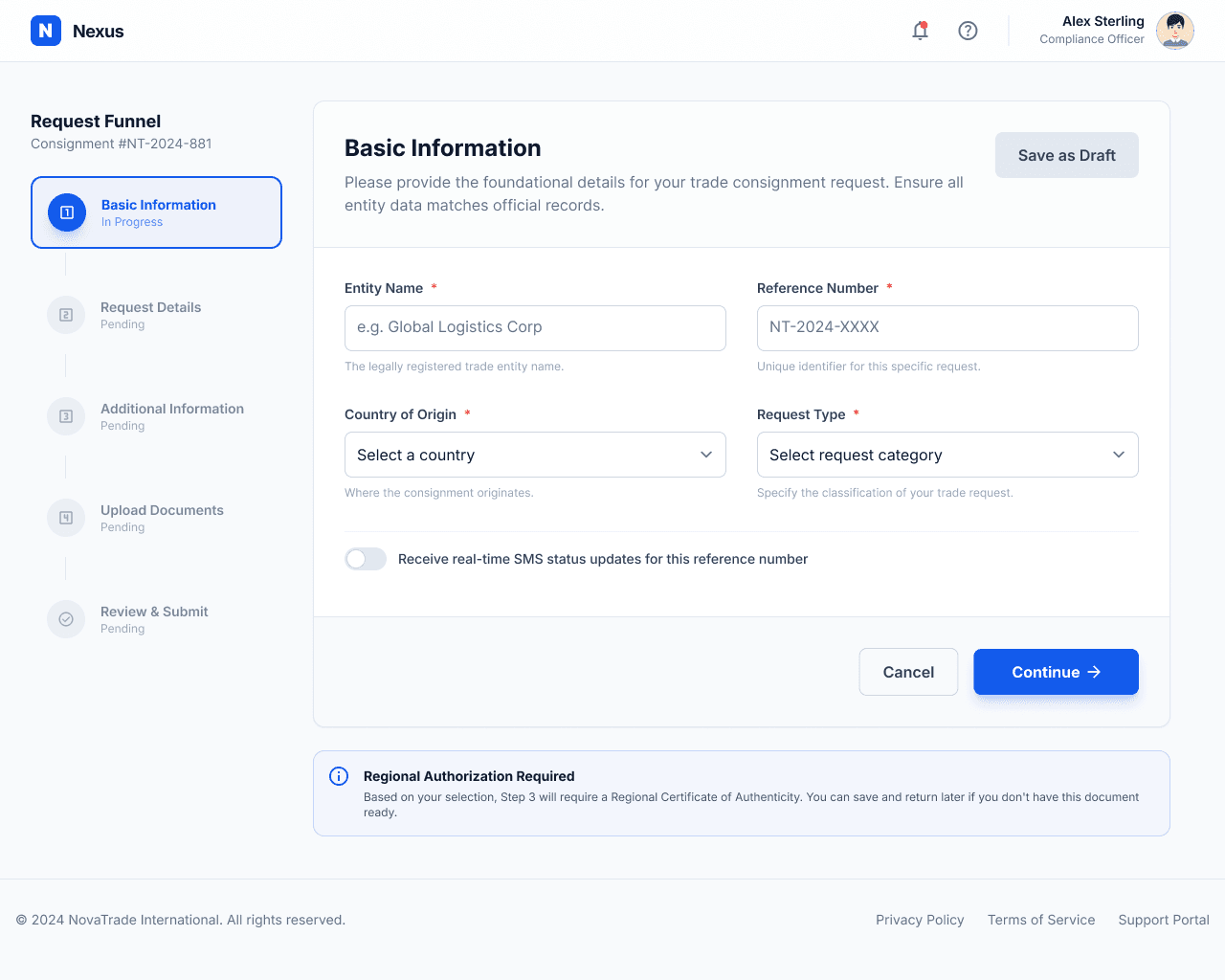
Structured multi-step customs declaration process
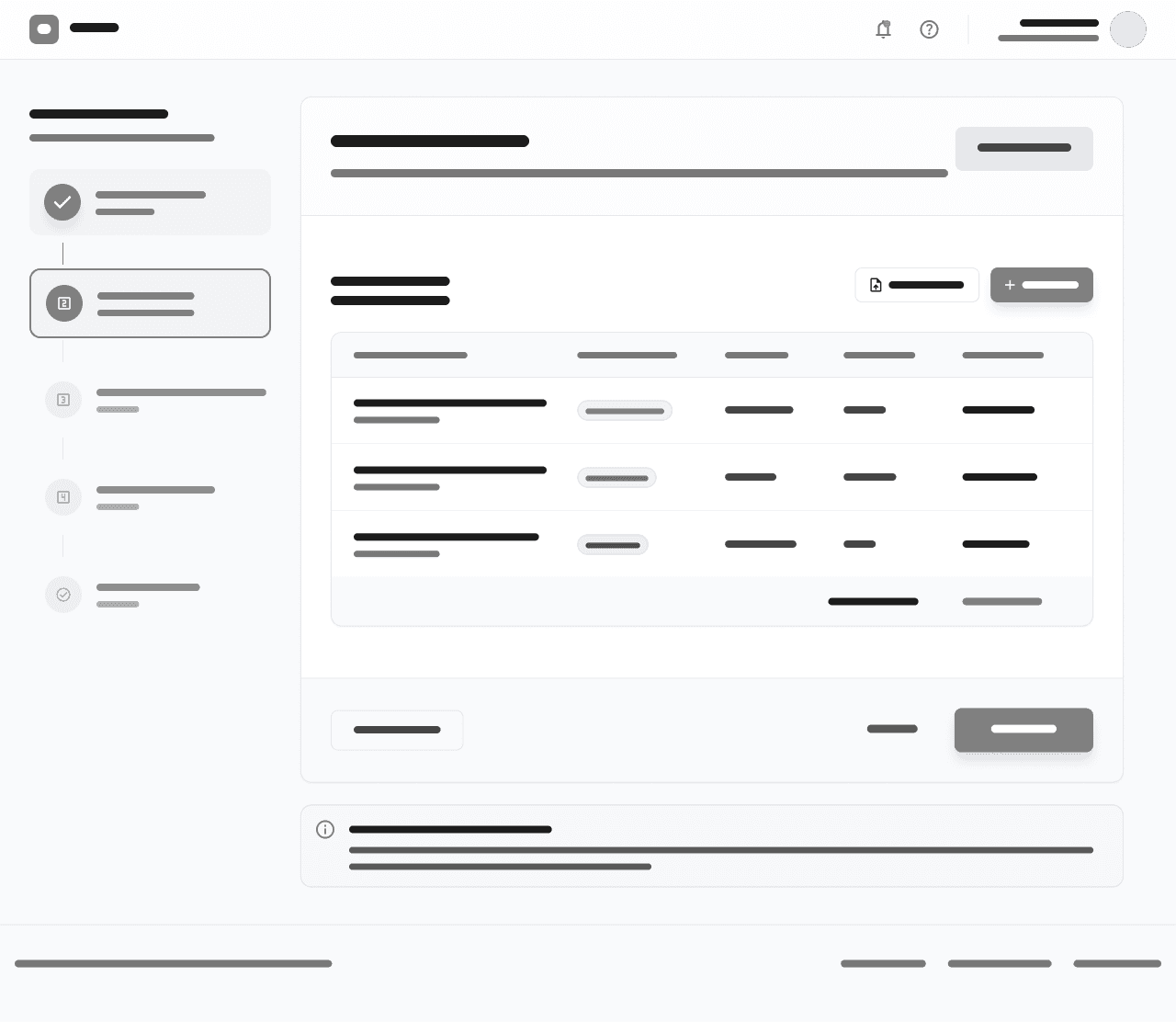
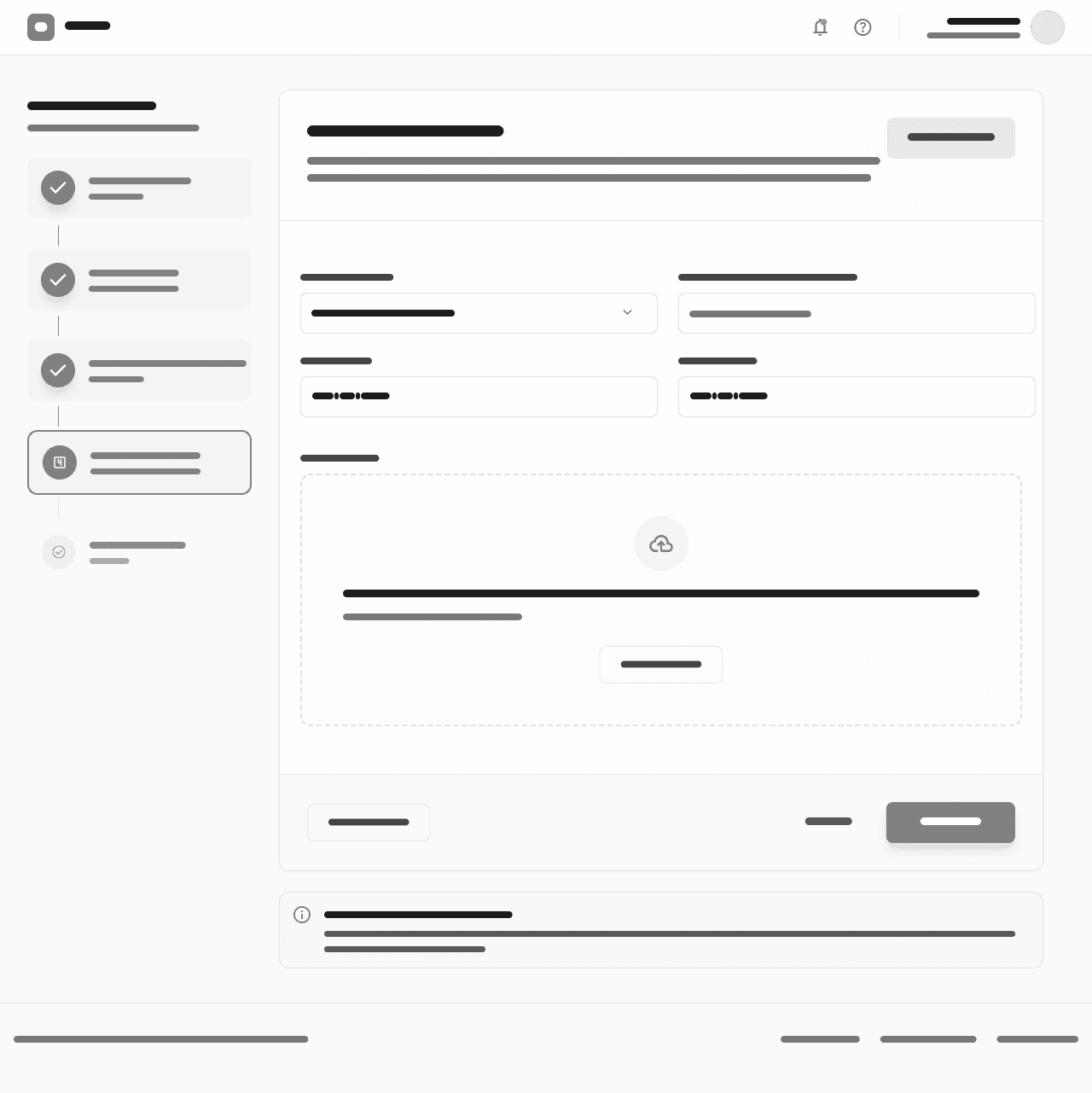
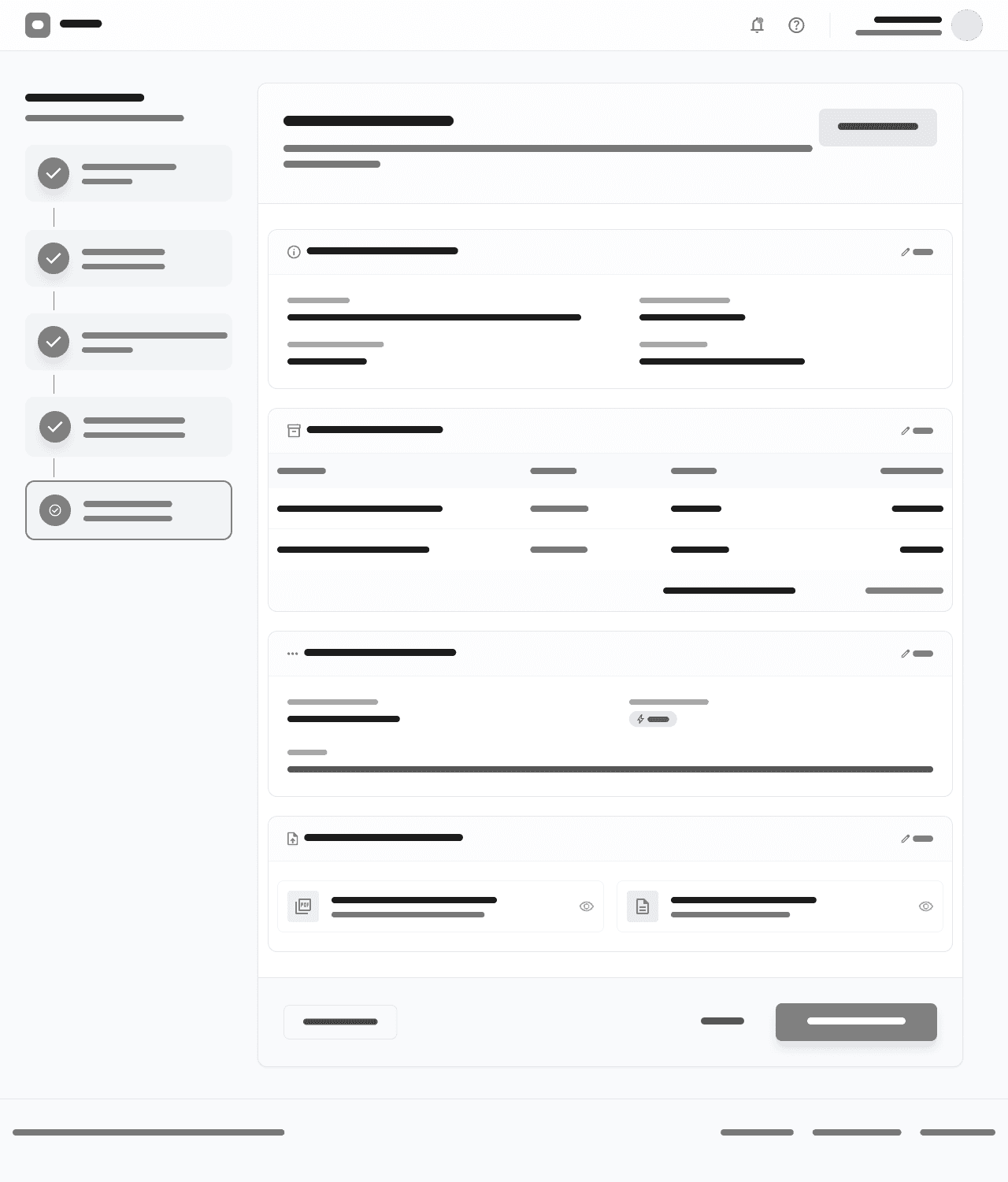
Based on the actual form structure and validated through system analysis, the declaration flow follows a staged data-entry model rather than a transactional checkout. Each step groups related compliance data, with a final review before submission.
A
B
C
D
E
Parties & Declarant Information
Broker, owner, or company details
Shipment Details
Transport info, origin, destination, references
Goods & Items Declaration
Single or multiple items, classification, values
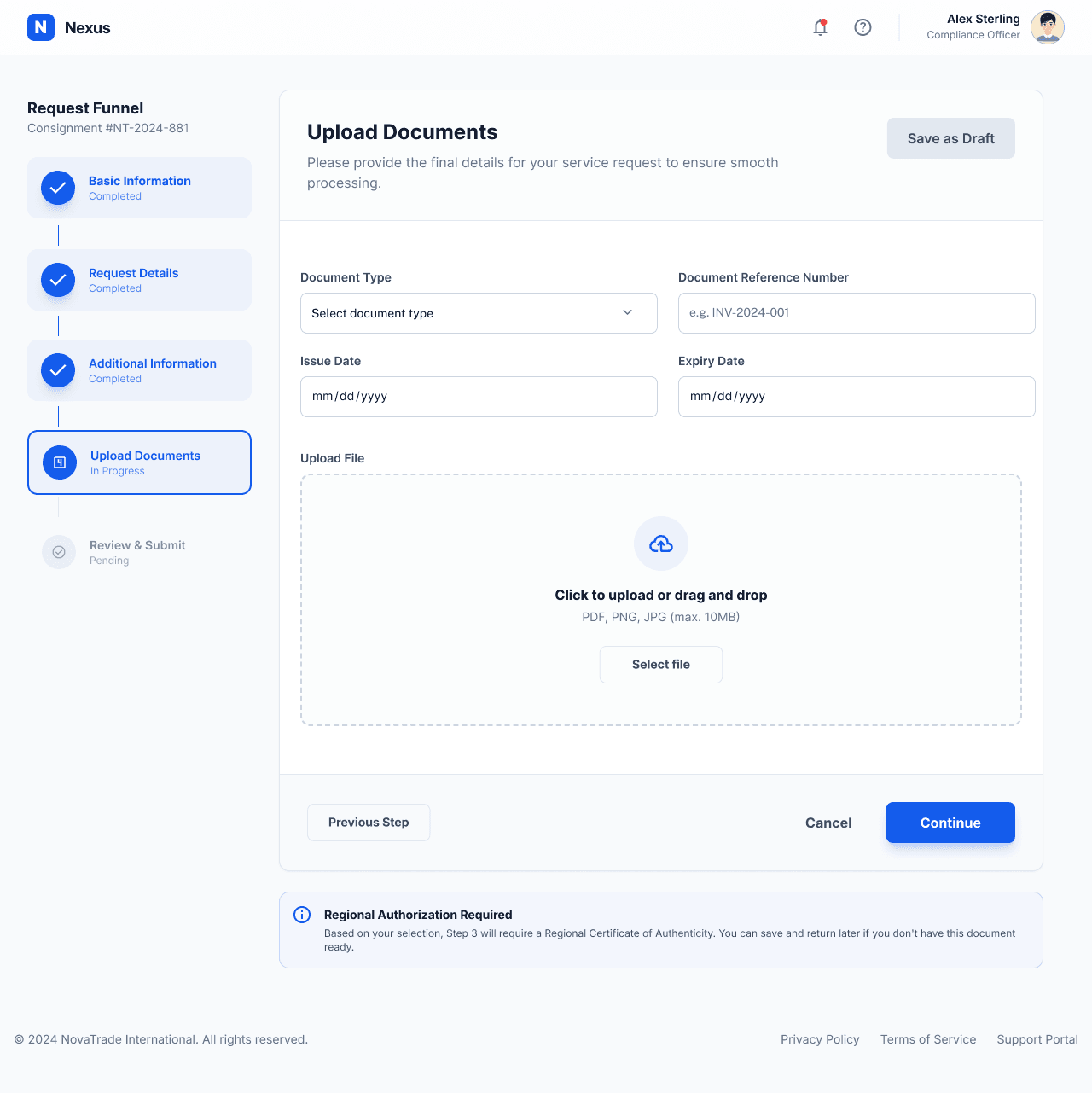
Documents Upload
Invoices and supporting attachments
Declaration Summary
Review all data before final submission
wireframes
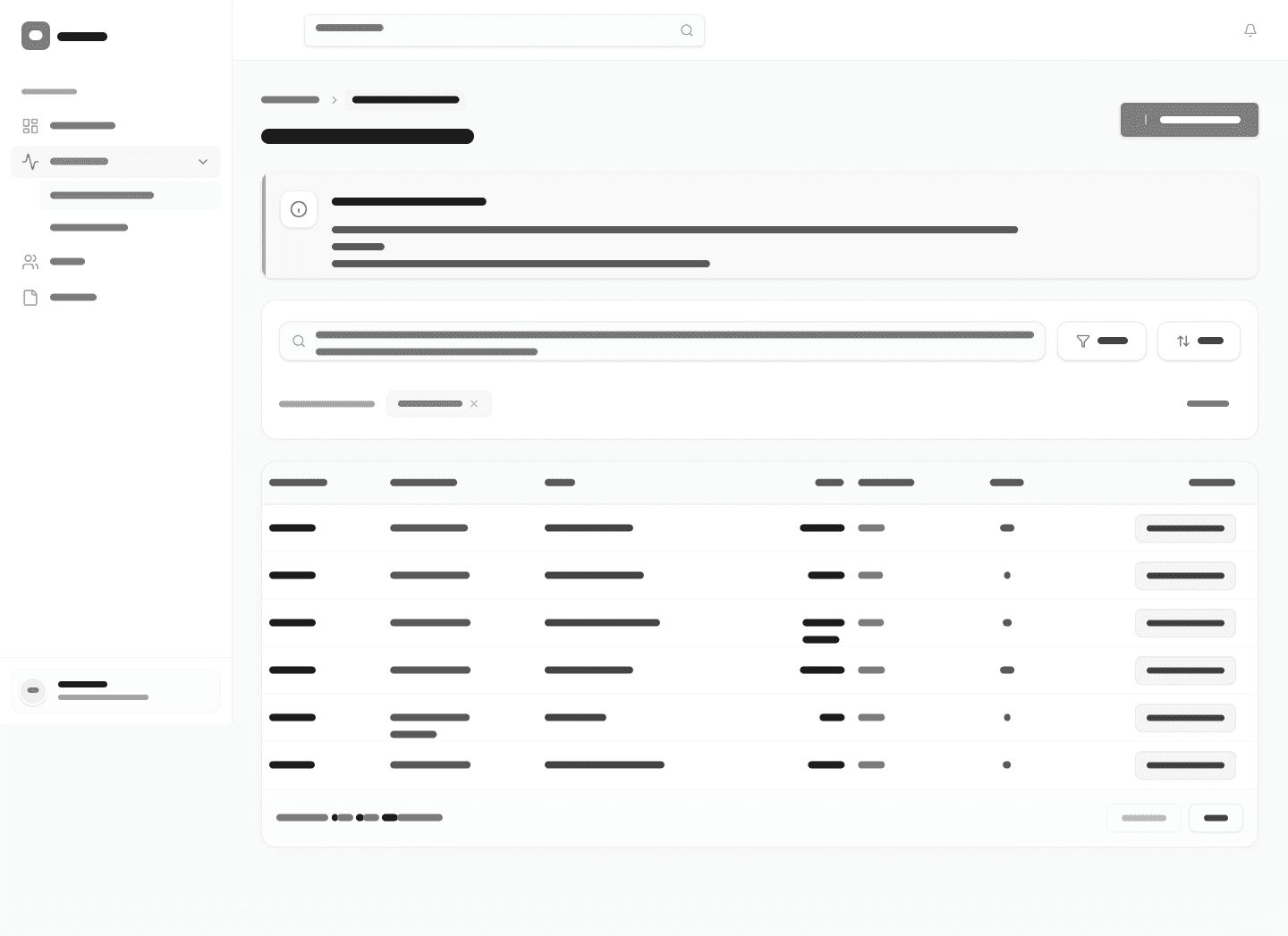
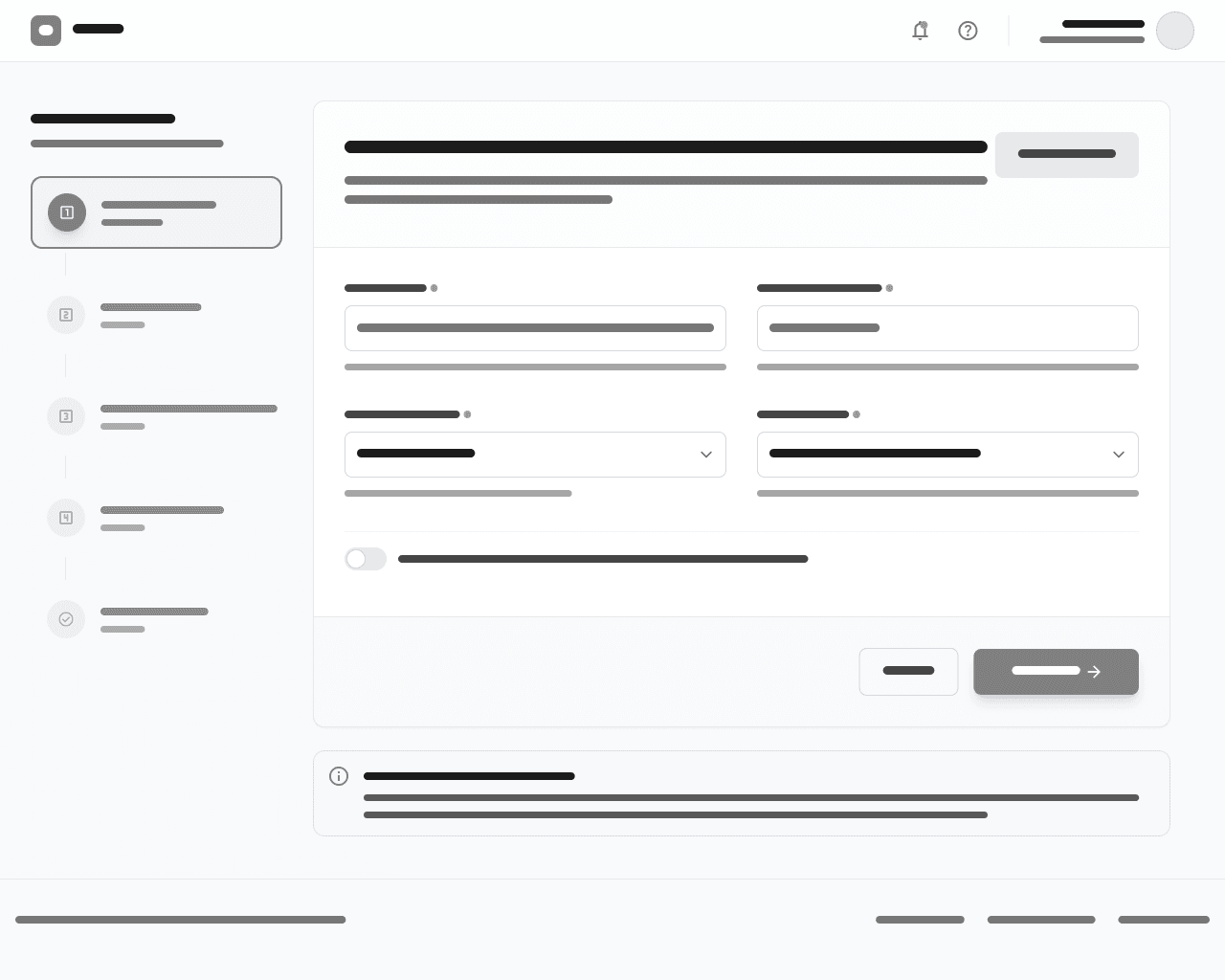
Lo-fi Exploration
Iterative low-fidelity wireframes across three cycles to validate the declaration structure early. Feedback sessions with users and stakeholders helped refine step sequencing, simplify multi-item entry, and improve clarity of document handling before moving into high-fidelity design.
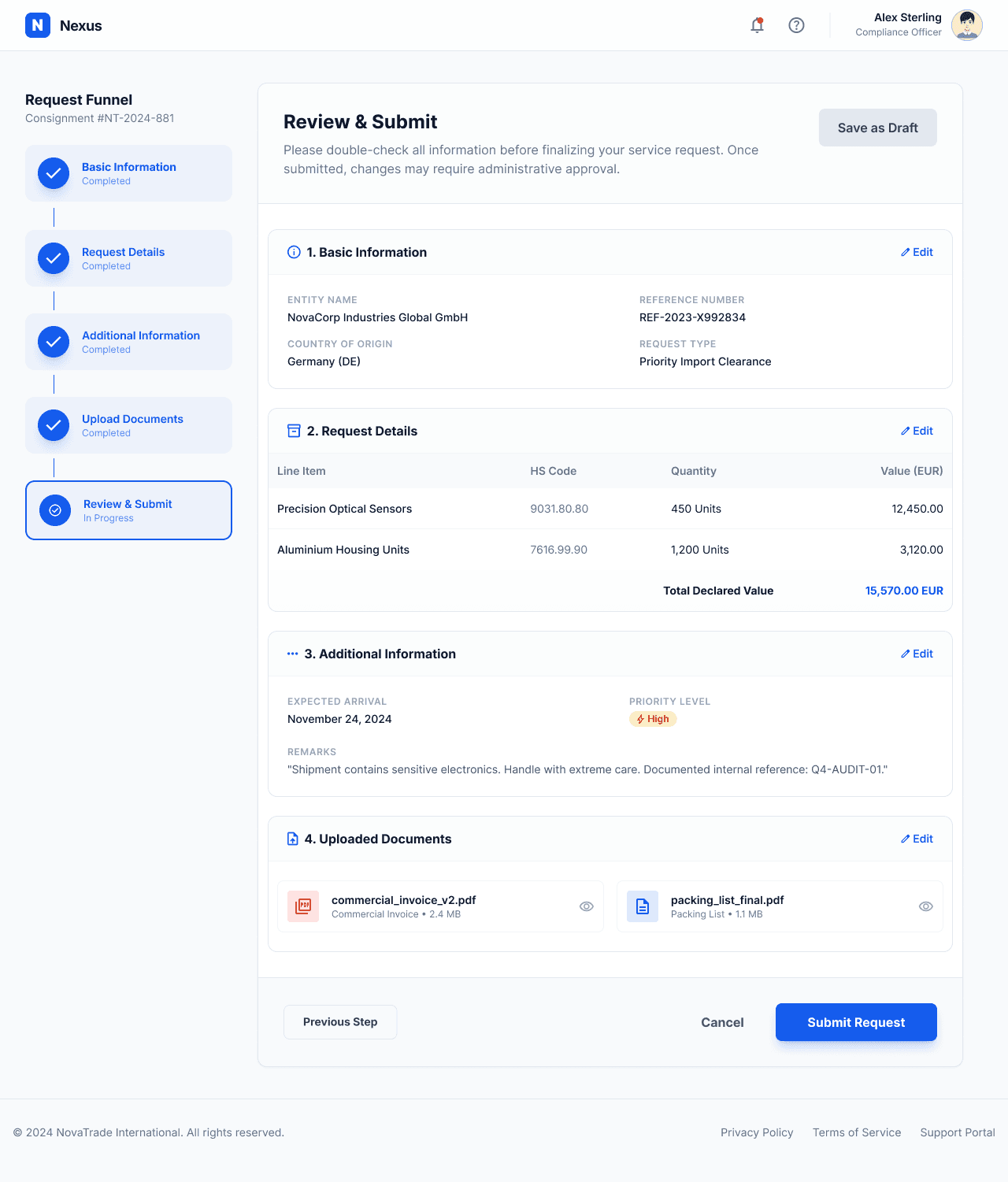
Final UI
High-fidelity Screens
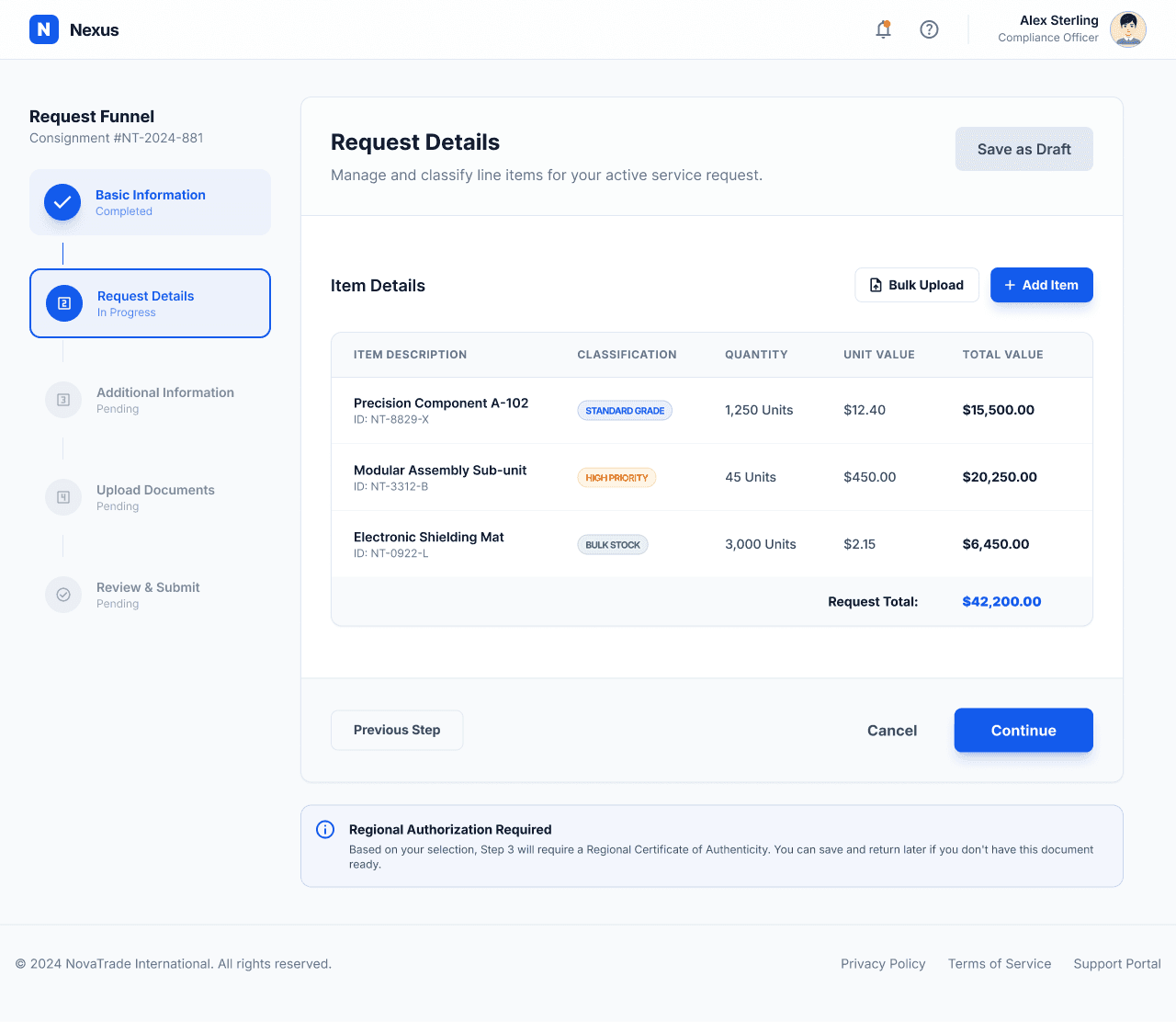
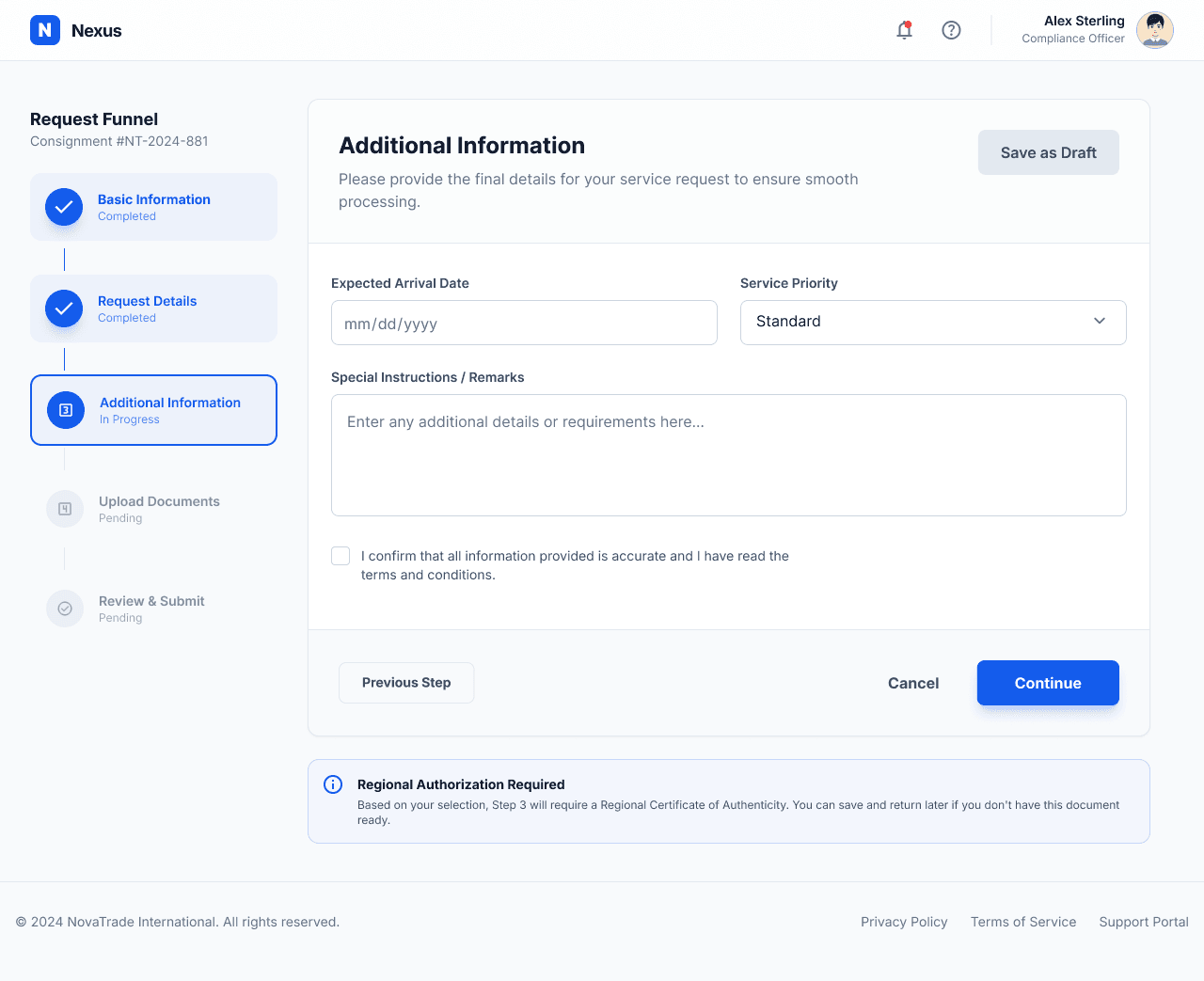
Built as a structured Figma system of 200+ reusable components covering end-to-end declaration flows. Each component includes defined states, validation behavior, and accessibility considerations to support consistency across a complex customs environment.


Key Decisions
Design Rationale
Flow Structure
Single long form → Modular step-based declaration
Users were overwhelmed by dense multi-section forms with no clear progression. Splitting the declaration into structured stages improved comprehension and reduced drop-off during data entry.
BEFORE
One long, continuous declaration form (all sections visible)
AFTER
5 structured steps with progressive disclosure
Item Entry
Fixed single-item logic → Flexible multi-item support
The original system assumed one item per declaration, which didn’t reflect real shipment behavior. Introducing a repeatable item model enabled accurate multi-SKU declarations without duplicating forms.
BEFORE
Single item per declaration flow
AFTER
Dynamic multi-item grid with add/remove patterns
Document Handling
Static upload section → Context-aware document grouping
Users struggled to understand what documents were required. Grouping uploads by declaration stage made requirements clearer and reduced missing submissions.
BEFORE
One generic upload area
AFTER
Stage-based document slots (invoice, supporting docs)
Review Experience
Basic summary → Structured validation summary
The summary step lacked clarity and error visibility. A structured review layout with inline validation improved trust and reduced correction cycles.
BEFORE
Plain summary of entered fields
AFTER
Sectioned review with validation highlights and edit links
Learnings & Reflection
What I took away from this project
This was one of the most structurally complex systems I’ve worked on — not because of visual design, but because of the regulatory depth, fragmented legacy forms, and the need to align multiple user roles (brokers, companies, and internal customs workflows).
These are the key learnings I’d carry into future enterprise or government projects.
01
Structure is the real UX
In complex systems like customs declarations, clarity doesn’t come from visuals — it comes from structuring information correctly. Grouping fields into meaningful stages reduced confusion far more than any UI refinement.
02
Real workflows are rarely linear
Users don’t think in steps — they think in incomplete, iterative inputs. Designing for flexible entry (especially in multi-item declarations) was more important than enforcing a strict flow.
03
Compliance defines the experience
Unlike consumer products, the UX here is shaped by regulation first. The challenge wasn’t simplifying too much, but translating legal and procedural requirements into understandable interaction patterns.
Let me help turn your ideas into clear, intuitive digital experiences.
To Get In Touch:
Contact Me
Have a project in mind? Let’s talk.
Click To Copy :